Deep Technical expertise on Maximo(MAS) Implementation
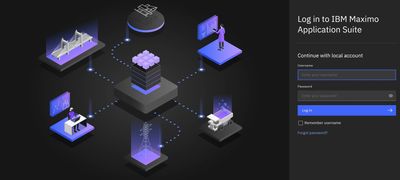
TechnoVITY team takes care of setting up and configuring the Maximo Application Suite software to manage various aspects of asset lifecycle management, including asset tracking, maintenance planning, inventory management, procurement, and work order management. Here's a high-level overview of the steps involved in a Maximo implementation:
Planning and Requirements Gathering
Understand the organization's goals, objectives, and requirements for implementing Maximo. Identify key stakeholders, define scope, and establish project timelines and budgets.
Installation and Setup
Install the Maximo software on servers or cloud infrastructure. Configure database settings, server environments, and integration points with other systems.
Data Migration
Transfer existing data from legacy systems or spreadsheets into Maximo. This may include asset records, maintenance schedules, inventory items, vendor information, and historical work orders.
Configuration
Customize Maximo to align with the organization's specific business processes and requirements. This involves configuring application settings, workflows, user roles, security permissions, and system preferences.
Performance Tuning
Performance Tuning
- Performing IBM TRIRIGA tuning, Application server tuning, Database Server Tuning and Maintenance, System Architecture and Hardware Considerations and Network Considerations
Integration
Integrate Maximo with other enterprise systems such as ERP, financial management, GIS, SCADA, and IoT platforms. This ensures seamless data exchange and interoperability between Maximo and other business applications.
Training and Change Management
Provide training sessions for end-users, administrators, and stakeholders to ensure they understand how to use Maximo effectively. Develop change management strategies to facilitate user adoption and minimize resistance to organizational changes.
Testing
Conduct thorough testing of the Maximo system to identify and resolve any issues or discrepancies. This includes functional testing, performance testing, security testing, and user acceptance testing.
Go-Live and Deployment
Deploy the Maximo system into production environment after successful testing and user acceptance. Monitor system performance and address any post-deployment issues that may arise.
Optimization and Continuous Improvement
Continuously monitor and optimize the Maximo system to improve efficiency, reliability, and user satisfaction. Collect feedback from users and stakeholders to identify areas for enhancement and implement system upgrades as needed.
Maximo Mobile
Providing a subset of Maximo functionality tailored for mobile usage. This typically includes features such as creating and updating work orders, recording asset inspections, capturing meter readings, viewing asset information, accessing inventory data, and performing inventory transactions.
Deep Functional expertise on Maximo(MAS)

Deep expertise in below functional modules
Manage
Mobile
Safety
Assist
Visual Inspection
Scheduler
Civil Infrastructure
Health & Predict Utilites
Aviation
Asset Configuration Manager
Utilites
Nuclear
Oil & Gas
Maximo for IT (Control Desk)
Transportation / Linear Assets
Monitor
Health
Predict
Service Provider
Parts Identifier
Health, Safety, Environment
Spatial
SAP Connector
Oracle Connector
Omnio Edge
App Connect
IBM Maximo Advisory Services

Maximo Advisory Services
- Enhance asset performance and reliability with our expert guidance on IBM Maximo.
- Optimize maintenance workflows, reduce downtime, and extend asset life with tailored Maximo strategies.
- Customize IBM Maximo solutions to meet your organization's specific operational needs.
- Streamline asset tracking, work order management, and inventory control with our advisory services.
- Ensure compliance with industry standards and regulations through strategic Maximo implementation.
- Leverage advanced analytics and IoT integrations within Maximo to enable data-driven decision-making.
- Benefit from end-to-end support, from implementation to continuous system optimization.
- Maximize ROI from your Maximo investment using industry best practices and proven methodologies.
- Drive sustainability and operational excellence with IBM Maximo expertise.
MAS Applications

MAS Manage
Deep functional expertise on the core Asset management functionalities, i.e Asset, work order, Inventory, Contract, Purchasing.
Mobile configuration via Maximo application framework tool and understanding of its functional modules.
Creating and segmenting different linear assets related to transportation industry solutions and their relatio
Deep functional expertise on the core Asset management functionalities, i.e Asset, work order, Inventory, Contract, Purchasing.
Mobile configuration via Maximo application framework tool and understanding of its functional modules.
Creating and segmenting different linear assets related to transportation industry solutions and their relation ship with spatial maps.
Creating inbound integration via map manager and scheduling cron to create linear asset automatically in maximo and linking those assets to the esri maps.

MAS Monitor
Importing sensor/meter data into monitor application and creating different KPIs and matrices to show the alerts related to the assets.

MAS Health and Predict
MAS Health and Predict
Creating different queries to be imported into health application and configuration of different scores related to assets. Applying manage and health data to the template based models and showcasing probability of failures and other KPIs.